Vendure Core v3.6: Shared Product Options, API Keys, a Refreshed Dashboard, and More
Shared Product Option Groups
This one has been a long time coming. Since the beginning of Vendure Core, every ProductOptionGroup has been tied to a single product. If you sell t-shirts, hoodies, and jackets that all come in S, M, L, XL - you needed three separate "Size" option groups. One per product. Same data, duplicated over and over.
For small catalogues, this isn't a big issue. But we've seen production systems where this duplication accounts for over 99% of the rows in the option group table. This isn't just a data storage issue - it starts to impact performance and makes updates to options a nightmare.
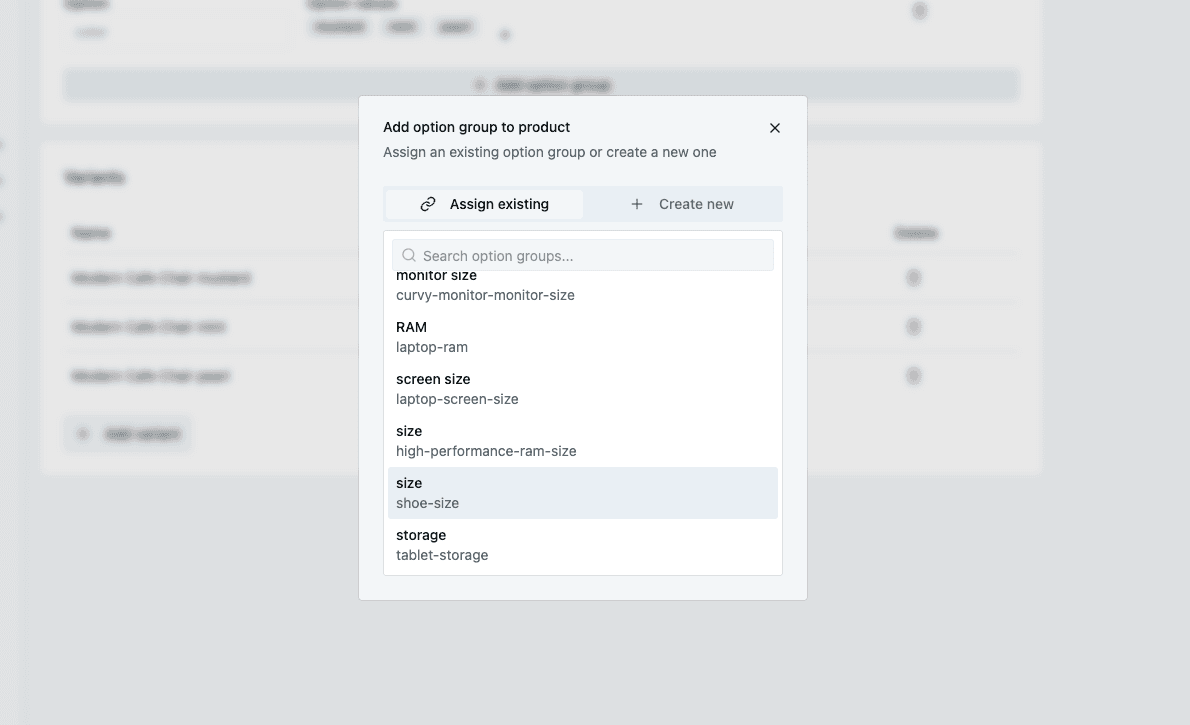
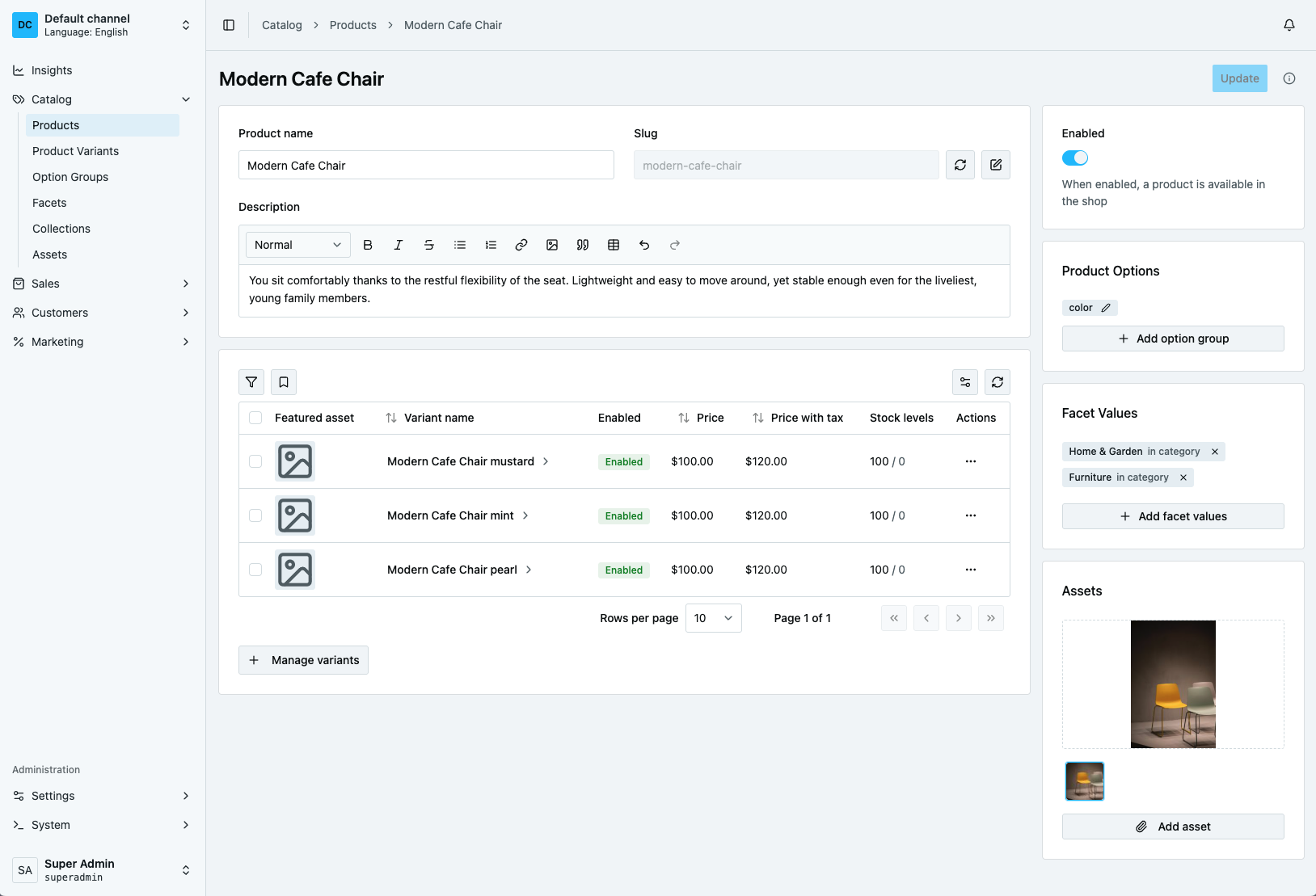
Option groups are now shared resources. One "Size" group, linked to as many products as you need. They're also channel-aware, so multi-tenant setups can scope them per channel just like products and facets. There's a new dedicated management page in the dashboard, and CSV imports handle shared groups out of the box.
To assist you with the data migration, we've provided a helper that does the heavy lifting - see the migration guide for details.
 API Key Authentication
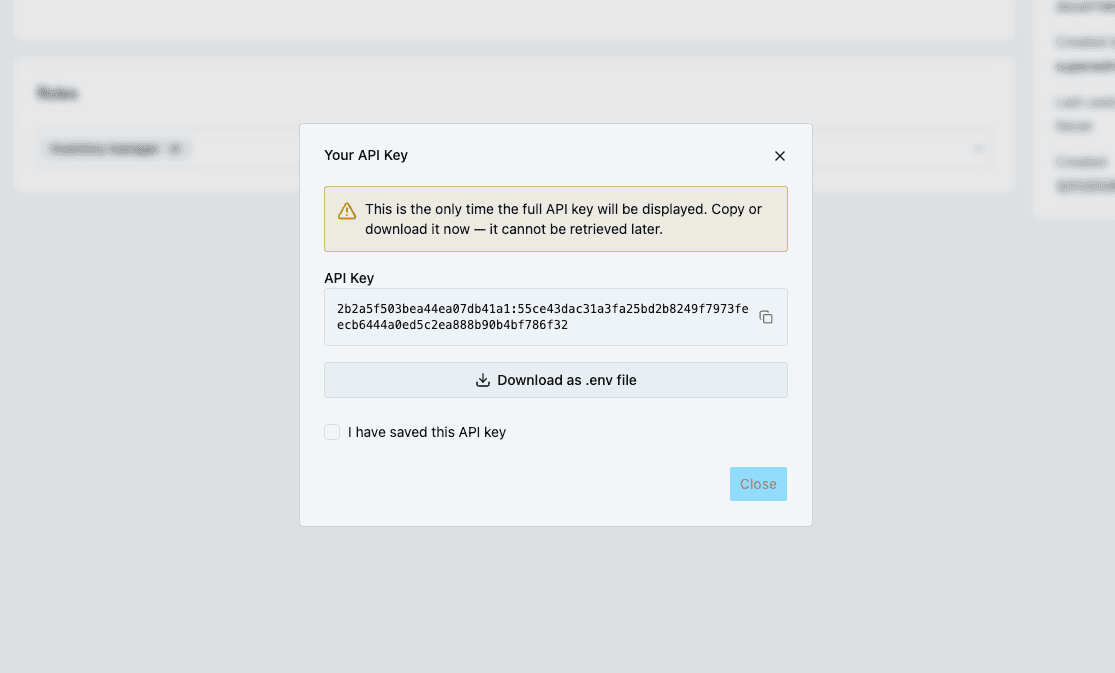
If you've ever tried to integrate an external service or a cron job with the Vendure Admin API, you'll know the pain. Log in with username/password, grab the session token from the headers, store it somewhere, hope it doesn't time out mid-job. It works, but it's clunky for anything that isn't a human sitting at a browser.
v3.6 adds proper API key support. Create a key, scope it to specific permissions, use it in a header. Keys can be easily rotated and revoked at any time, and there's a full management UI in the dashboard for creating, updating, and revoking them.
This was a fantastic community contribution from Daniel Biegler that involved extensive research, multiple live review sessions with the Vendure team, and careful consideration of security and performance. A proper example of open source collaboration done right.
Read the new guide for API Keys.
Translatable Assets
Every major entity in Vendure Core has been translatable since early versions - products, collections, facets, you name it. Assets were the exception. The name field was just a plain string, no language support.
That's now fixed. Asset implements the Translatable interface, so asset names (and any custom fields you add) can vary per language. If you're running a multi-market store and need localized image alt text or document names, this is for you.
The upgrade is painless - a migration helper copies your existing names into translations using your default channel's language. Everything continues to work exactly as before unless you actively start adding translations.
Again, we are shipping a migration helper to assist with the data transition. See the migration guide for details.
Configurable Order Tax Calculation
Tax calculation rules and conventions vary between jurisdictions, and between companies even within the same jurisdiction. Sometimes the defaults that Vendure Core provides don't quite fit the needs of the business you are building for. In v3.6, we've made the order-level tax calculation logic pluggable via a new OrderTaxCalculationStrategy extension point.
The default behaviour is unchanged, but you can swap in alternatives: for example, calculating tax at the order level rather than per-line for jurisdictions that require it. Ships with two built-in strategies: DefaultOrderTaxCalculationStrategy (same as v3.5) and OrderLevelTaxCalculationStrategy.
If you have been struggling with tax-related off-by-one-cent issues on order totals, this could be the API you have been waiting for.
A Refreshed Dashboard
This one deserves its own section because there's a lot going on.
Our own design system
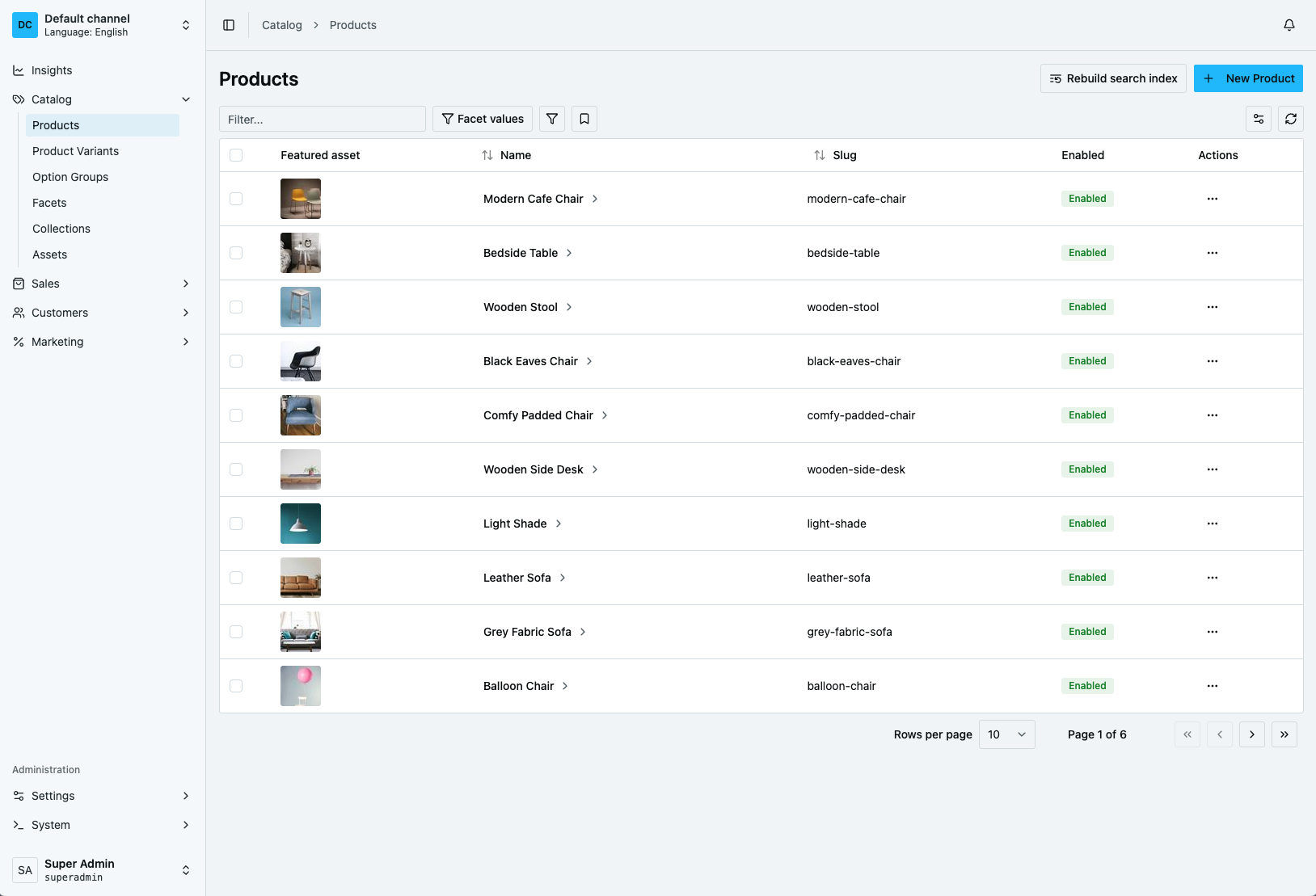
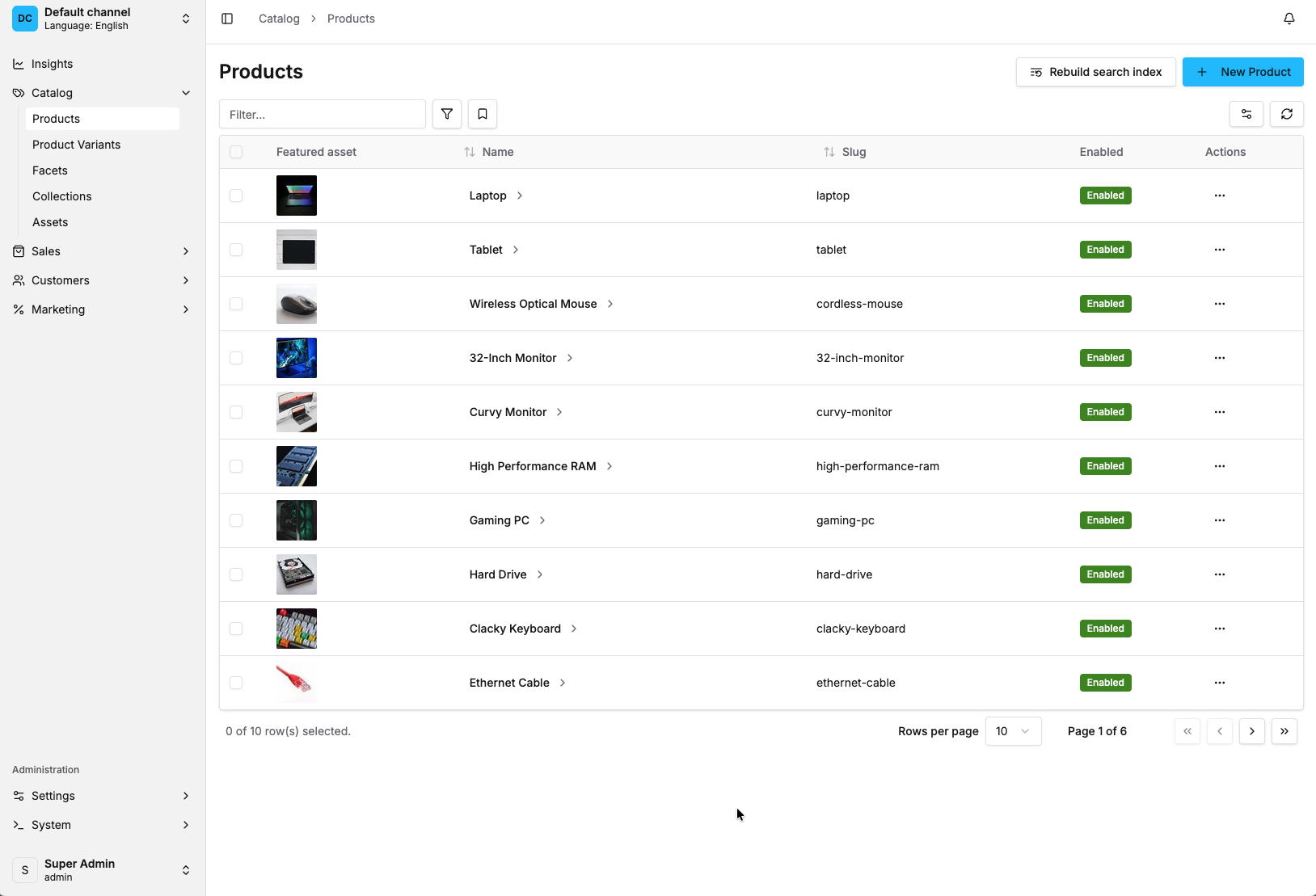
When we launched the React dashboard in v3.5, we built it on stock shadcn/ui components. It was pragmatic - shadcn gave us a solid, well-understood foundation and let us move fast. But as the dashboard matured and we started building other Vendure products on the same stack, we kept running into the same issue: everything looked like... shadcn. Which is fine if you're building one app, but not great when you want a coherent identity across a whole product suite.
So we built @vendure-io/ui - our own open-source design system. Same tech stack underneath (React, Tailwind, Shadcn/ui etc.), same component architecture and developer ergonomics, but with a visual identity that's distinctly ours. Refined colour palette, spacing, typography, interaction patterns. If you're familiar with the v3.5 dashboard, you'll feel right at home - but everything is a bit sharper.
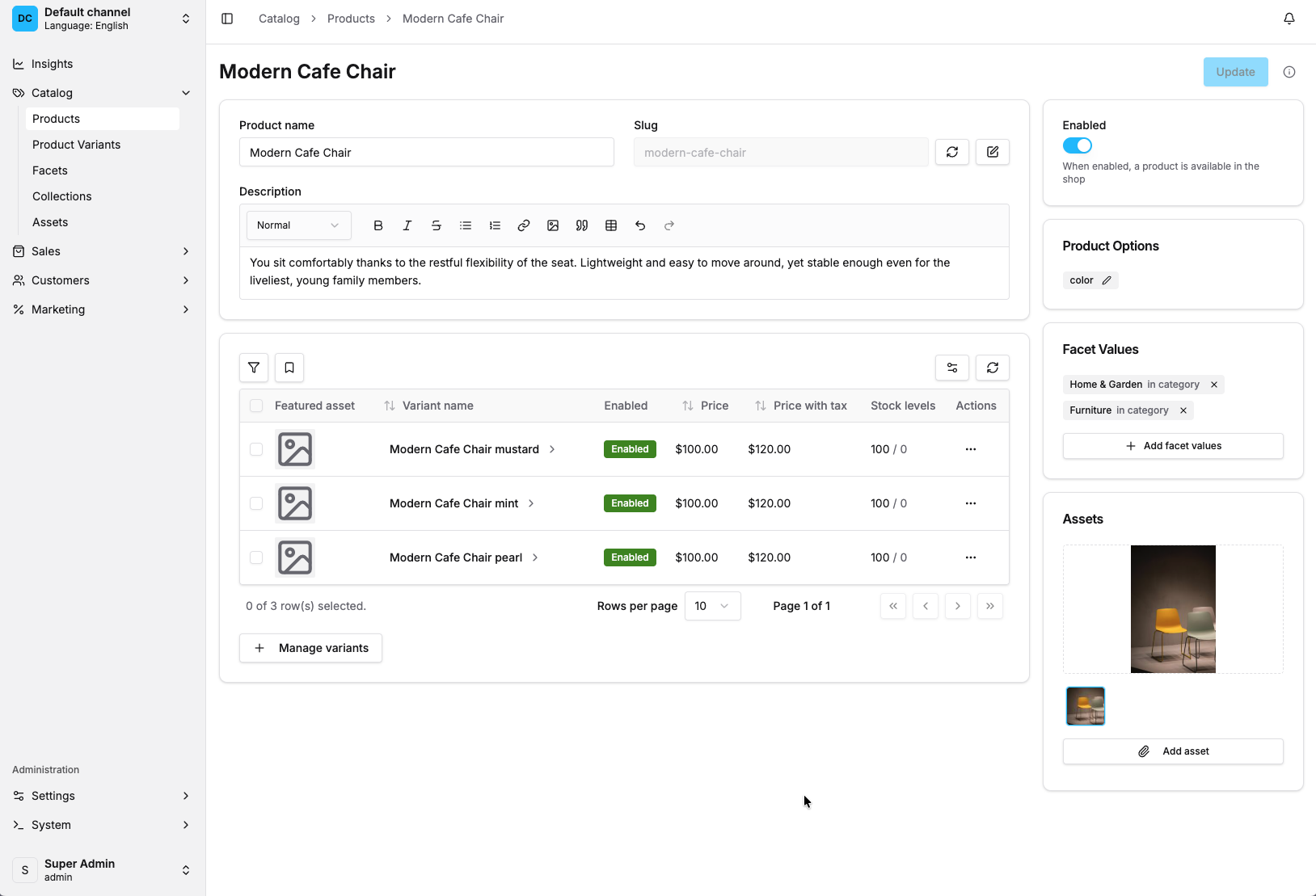
One package for everything
Under the hood, we've migrated from Radix UI to Base UI for headless primitives, to ensure you have the most up-to-date and well-maintained primitives to work with. But the bigger deal for extension developers is that all UI components - buttons, dialogs, inputs, data tables, dropdowns, everything - now live in a single @vendure-io/ui package. No more guessing whether something comes from Radix, shadcn, or a Vendure-specific file. One import surface, one set of docs.
If you've got existing extensions, there's a CLI codemod that handles the migration:
New extensibility APIs
Beyond the visual refresh, we've added several new extension points:
- Toolbar items: drop custom buttons or indicators into the app shell header.
- Function-based nav sections: generate nav items dynamically based on permissions, feature flags, active channel, whatever you need.
- Component-based alert actions: alerts can now use full React components with hook access, not just static callbacks.
- Improved ActionBar: more flexible control over action bar items in detail views. You can now target the positioning of your custom ActionBar items precisely.
Better translation UX
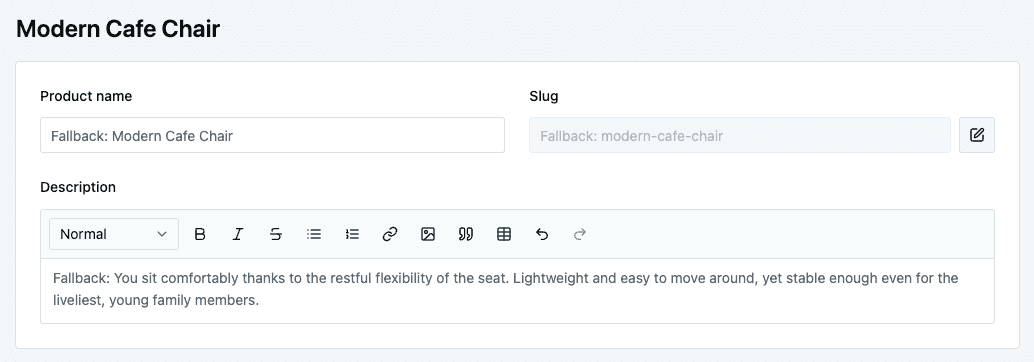
When editing content in a non-default language, empty translatable fields now show the default language value as a greyed-out placeholder. Small thing, but it makes a real difference when you're translating a product with 15 fields and can't remember what the English description said.
v3.6 also ships with new Hungarian and Dutch translations, thanks to community contributions.
Per-Queue Job Concurrency
The concurrency option for job queues now accepts a function: (queueName: string) =\> number. So you can run image processing at concurrency 1 while email sending runs at 10. Works with the default job queue as well as the BullMQ-based job queue plugins.
Other Notable Features and Fixes
Features
BootstrappedEvent: fires when the server is fully ready (afterapp.listen()). Useful for cache warming, service registration, that kind of thing.onBeforeAppListenhook: operate on the NestJS app instance before it starts listening. Good for adding custom middleware or Swagger.- Async email generators: email generators can now be async, so you can do database lookups and API calls during template generation.
- Set order currency code: new
setOrderCurrencyCodeShop API mutation for multi-currency storefronts. - Collection search filters: filter by
collectionIdsandcollectionSlugsin both the default search plugin and elasticsearch plugin. - Braintree multi-currency: the Braintree plugin now handles multi-currency transactions.
- Hide custom fields from dashboard --
dashboard: \{ visible: false \}keeps a custom field in the API but hides it from the UI. - Settings Store page: manage the key-value Settings Store directly from the dashboard.
- Force update payment status: manually sync payment status when webhooks are delayed.
- EntityAccessControlStrategy (developer preview): a new extension point for row-level access control. Define custom logic that filters which entities a request can see, at the database query level. For example, restrict sales staff to orders from their region, or scope a B2B portal to a specific supplier's products.
Fixes worth mentioning
- Dashboard compilation performance: we replaced
ts.createProgramwith per-file transpilation in the plugin compilation pipeline. If you had out-of-memory crashes with large TypeScript codebases, this should sort it. In our testing we saw around 2x faster dashboard builds and 4x lower memory usage. - Atomic order merging:
mergeOrdersis now atomic and concurrency-safe. Previously, simultaneous requests to merge guest carts could corrupt order data. - Schema-qualified table paths:
EXISTSsubqueries now use fully qualified table names. Fixes issues for anyone running Vendure Core in a multi-schema PostgreSQL setup. - Stale shipping line cleanup: orders no longer hold references to deleted shipping methods. One of those bugs that causes mysterious checkout failures that are hard to track down.
Breaking Changes
v3.6 is a minor release, but a few of the features above required schema and API changes. We've tried to make the upgrade as smooth as possible - migration helpers, codemods, clear documentation - but here's what you need to know.
Product option groups needed a fundamental data model rework. The old productId foreign key is replaced by a many-to-many join table, and a migration helper (migrateProductOptionGroupData) moves the data automatically. This was the only way to fix the duplication problem properly.
Translatable assets follow the same pattern as every other translatable entity in Vendure Core, but the name column moves from asset to asset\_translation. A migration helper (migrateAssetTranslationData) handles the copy.
The dashboard UI layer has been rebuilt on @vendure-io/ui, migrating from Radix UI to Base UI under the hood. If you have custom extensions, run the codemod (npx vendure codemod radix-to-base-ui) and you should be good.
Community plugins have been moved out of the Vendure Core monorepo into their own dedicated repo: vendurehq/community-plugins. They are now published under the @vendure-community npm org with their own versioning, decoupled from Vendure Core releases. If you use any of these plugins, update your imports:
| Before | After |
|---|---|
@vendure/elasticsearch-plugin | @vendure-community/elasticsearch-plugin |
@vendure/payments-plugin/package/stripe | @vendure-community/stripe-plugin |
@vendure/payments-plugin/package/braintree | @vendure-community/braintree-plugin |
@vendure/payments-plugin/package/mollie | @vendure-community/mollie-plugin |
@vendure/sentry-plugin | @vendure-community/sentry-plugin |
@vendure/stellate-plugin | @vendure-community/stellate-plugin |
@vendure/job-queue-plugin/package/pub-sub | @vendure-community/pub-sub-plugin |
Note: @vendure/job-queue-plugin (BullMQ) remains in core.
ElasticSearch in the new community package has been updated to v9.1.0 (from v7.x). This is a one-way upgrade - ES v7 is end-of-life, and the new client is incompatible with the old server.
Migration Guide
To help you smoothly migrate, we've put together a separate v3.6 Migration Guide which goes into more detail on each of the changes you'll need to make with examples.
Thank You
v3.6 includes direct contributions from 11 community members. From significant features like shared option groups and API keys, to translations, bug fixes, and documentation improvements - every contribution matters.
Whether you submitted a PR, reported an issue, helped someone in Discord, or just gave us feedback on what to build next - thank you.
Share this article
Worth reading, once a month
Product updates, customer stories, and engineering thinking, delivered monthly.
You may also like